

First Start
This guide walks you through the entire first launch process for your Project Zomboid server on HypeServ: From ordering the server to joining in-game for the first time.
If you already own a HypeServ server, this page will show you how to get your server ready to join.
Order your Project Zomboid server
If you haven’t ordered your server yet, start here:
👉 Order a serverChoose Project Zomboid as the game, then pick a plan based on your expected player count and modding needs.
You can upgrade later if you need more performance.
Open the HypeServ panel
After ordering, you'll automatically be redirected to your server dashboard.
Inside the panel you’ll see:
- Your Project Zomboid server
- Server status (offline / starting / running)
- Buttons to Start, Stop or Restart your server
- Tabs for Console, Files, Backups, Ports, and more
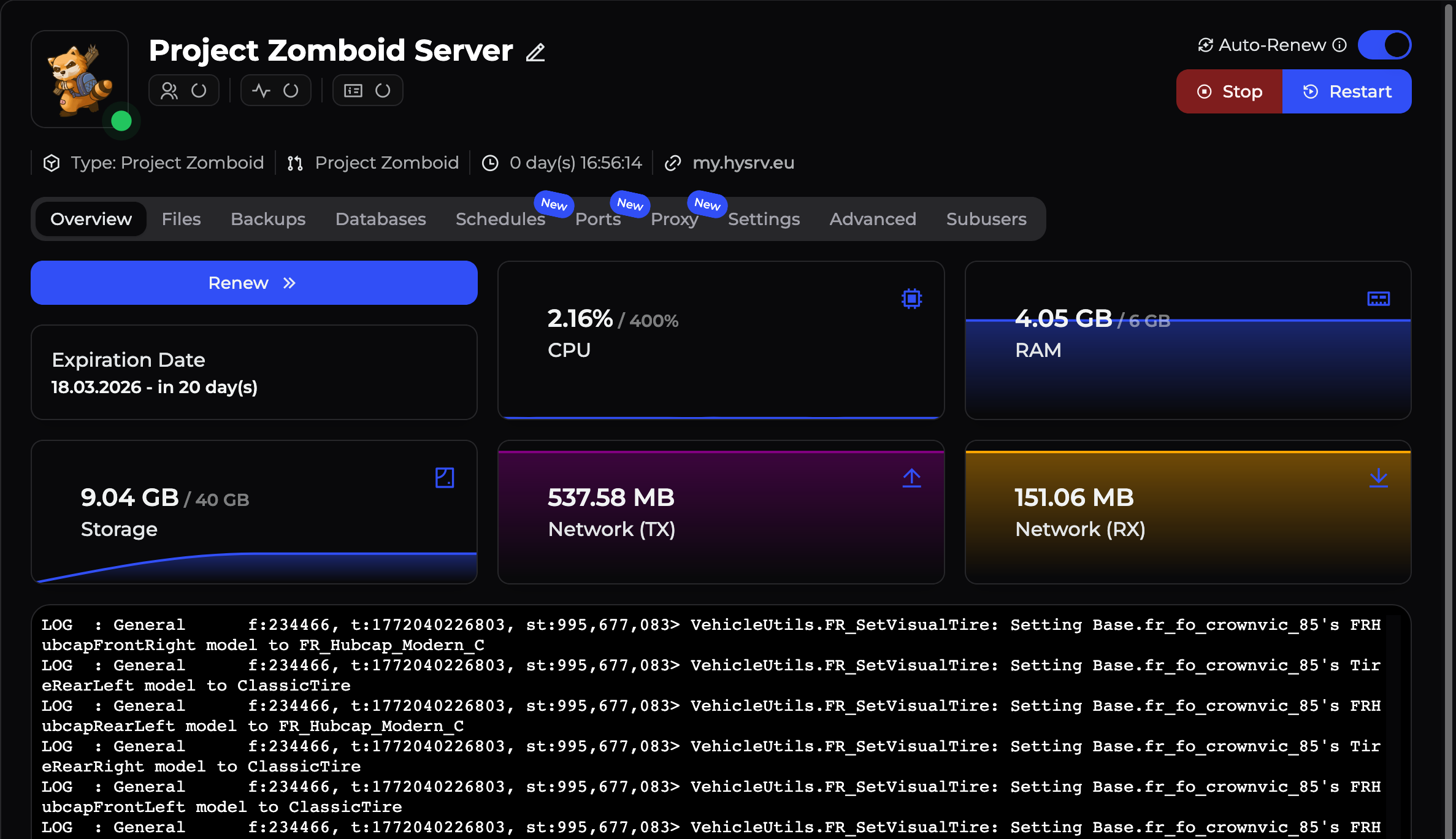
This is where you control your entire server.
Start the server
Click Start to start your server.
The first start may take a little longer than usual because:
- The server is downloading the latest Project Zomboid server files
- Map data and spawn points are being initialized
- The world is generated
Open the Console tab to watch the startup process in real time.
When you see a message in the console stating that the server is VAC Secure and no more errors appear, it is fully loaded and ready for the next step.
Check the Troubleshooting page in this wiki or contact HypeServ support, we will help immediately.
Find your server address
To join your server, you need its address.
In the HypeServ panel you will see your server's IP and Port directly above the console. If you have set your free subdomain, you will see that instead of the IP.
Join the server in Project Zomboid
- Open Project Zomboid and click
Joinon the main menu. - Go to the
Favoritestab on the right side and add your server details. - Enter your
IP(or subdomain) in the IP field, and yourPortin the Port field. - Enter a Username and Password.
- Click
Save, select your newly added server from the list, and clickJoin Server.
If everything is correct, you will spawn!